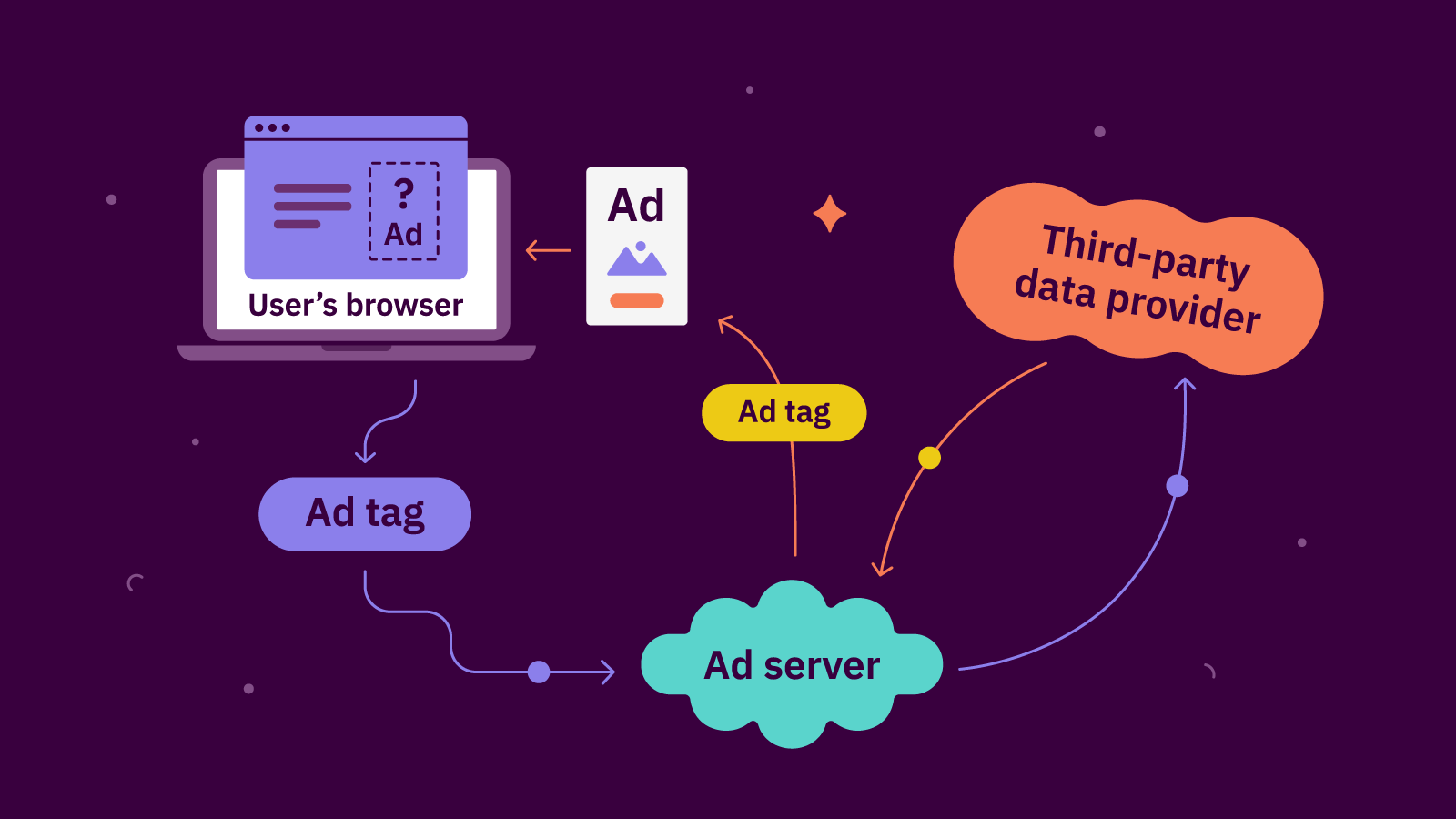
Short answer: header bidding optimization means tuning your setup so more buyers compete for each impression without slowing the page. In practice that means setting timeouts from data, keeping only the bidders that add revenue, choosing client-side or server-side bidding per partner, matching price granularity to your ad server, using floors carefully, and checking the results in analytics every week.
This guide is for publishers and ad ops teams who already run Prebid.js or a managed wrapper and want more from it. Each section covers one setting, what it changes, and how to test it on your own pages. The examples use Prebid and Google Ad Manager because that is the most common pairing, but the ideas apply to any wrapper.
What you are optimizing for
Higher CPMs alone are the wrong target. A setup that wins higher bids but loads ads late can earn less per visit, because readers scroll past empty slots and pages feel slow. Track three numbers together:
- Revenue per session or page RPM, which shows what each visit is actually worth.
- Ad load time and Core Web Vitals, which show what the auction costs your readers.
- Viewable impressions per page, which show whether ads arrive while people can still see them.
Set timeouts from your own data
Prebid’s bidderTimeout decides how long the auction waits for bids before it sends what it has to the ad server. A longer timeout lets slow bidders take part but delays every ad. A shorter one makes ads appear sooner but drops late bids. There is no correct number for every site: a desktop reader on fast broadband and a phone on a slow mobile network need different settings.
- Look at each bidder’s response times by country and device before changing the timeout.
- Try a different timeout for mobile and desktop, and test the change on a share of traffic first.
- Keep a failsafe timeout on the ad server call, so a stuck auction never leaves the slot empty.
Our one-minute lesson on header bidding timeouts shows how to find the bidders that keep missing the cut-off.
Keep the bidder list lean
Adding bidders raises revenue at first, then the gains shrink. Many SSPs reach the same DSPs, so a fifth or sixth bidder often brings buyers you already have, while every extra bidder adds requests, script weight and waiting time. Rank partners by the revenue only they bring, not by total wins. Before adding a new partner, test removing your weakest one with a holdout group. The lesson More bidders, more revenue? Not past a point explains the curve.
Client-side, server-side or both
With client-side bidding, Prebid.js calls each bidder from the reader’s browser. With server-side bidding, Prebid Server makes those calls, so the page sends one request and does less work. The trade-off is identity: server-side bidders see fewer of their own cookies, so some of them bid less often or lower.
That is why most mature setups are hybrid. Keep your strongest partners client-side, move the long tail to the server, and compare revenue and load time for each move. Google’s Open Bidding is another server-side route that runs inside Ad Manager. If a partner is in both Prebid and Open Bidding, check that you are not asking the same buyers twice. See client-side vs server-side header bidding for a short walk-through.
Match price granularity to your line items
Your ad server can’t read every possible bid, so Prebid rounds each bid down into a price bucket and sends it as a key-value (hb_pb). The standard options in the Prebid documentation are:
| Setting | Steps | Cap |
|---|---|---|
| low | $0.50 | $5 |
| medium (default) | $0.10 | $20 |
| high | $0.01 | $20 |
| auto | $0.05 to $5, $0.10 to $10, $0.50 to $20 | $20 |
| dense | $0.01 to $3, $0.05 to $8, $0.50 to $20 | $20 |
Coarse buckets lose money: a $2.87 bid rounded to $2.50 can lose inside Ad Manager to an AdX bid of $2.60. Very fine buckets need many more line items. Many teams use custom granularity, with fine steps where most bids land and wider steps above. Whatever you choose, your Ad Manager line items must match the buckets exactly, or bids fall through. Our lesson on price granularity shows the rounding with real numbers.
Use floors carefully
A floor is the lowest bid you will accept. Too low, and buyers have no reason to bid up. Too high, and you reject bids that would have paid. Prebid’s Price Floors module can set floors per slot, size or format, and can fetch fresh rules from a provider before each auction. In Ad Manager, pricing rules set floors for programmatic demand, and since December 2025 they support per-bidder floors.
Change floors one segment at a time, and keep a share of auctions without floors so you can measure whether they help. Watch fill rate and total revenue, not just the average CPM.
Lazy load and refresh without wasting auctions
Lazy loading runs the auction only when a slot gets close to the screen, so you stop paying (in speed) for ads nobody scrolls to. In the Google Publisher Tag, you set a fetch margin and a render margin. Make sure the auction can finish before the reader reaches the slot: if it takes a second and readers scroll fast, widen the margins, especially on mobile.
Ad refresh runs a new auction in a slot that stays on screen. Refresh only when the ad is in view and the tab is active, and declare refreshing inventory in Ad Manager with its real trigger and interval. Google’s refresh declaration rules set a 30-second minimum for time-based refresh on web, and some buyers bid less on refreshed slots, so test before rolling out.
Read your analytics every week
A Prebid analytics adapter records every bidder’s requests, bids, timeouts and wins. Three rates tell you most of what you need:
- Bid rate (bids ÷ requests): a low rate points to setup, consent or demand problems.
- Win rate (wins ÷ bids): a low rate means the bidder takes part but bids low.
- Timeout rate (late responses ÷ requests): a high rate means good bids may be arriving too late.
Check these by bidder, device and country before you drop or add a partner. Our lesson Read your Prebid analytics walks through an example.
A simple monthly routine
- Check which Prebid.js version you run and read the release notes for breaking changes.
- Review timeout rates and response times per bidder.
- Rank bidders by incremental revenue and test removing the weakest.
- Confirm line items still match your price granularity.
- Review floors, lazy-load margins and refresh declarations.
- Compare revenue per session and page speed with last month.
Frequently asked questions
What is a good header bidding timeout?
There is no single right value. Set it from your own analytics: find where extra waiting stops adding bids for your audience, and test separate values for mobile and desktop.
How many header bidding partners should I use?
Enough to create real competition, and no more. Keep each partner only if it adds revenue the others don’t, which you can check with a holdout test.
Does header bidding slow down my site?
It can, because the page waits for bids and loads extra scripts. Lean bidder lists, sensible timeouts, server-side bidding for some partners and lazy loading keep the cost small.
Is server-side header bidding better than client-side?
Neither is always better. Server-side is lighter for the page, but bidders often see fewer cookies and may bid less. Most publishers use a hybrid and test each partner both ways.
What price granularity should I use in Prebid?
Medium ($0.10 steps up to $20) is the default and a fair start. Many publishers move to a custom granularity with finer steps where most of their bids land.
Header bidding rewards small, regular checks more than big rebuilds. Change one setting at a time, measure revenue per session and speed together, and keep what works. To go deeper on Prebid.js, Prebid Server and Ad Manager setup, take the free Header Bidding Masterclass.
Learn in 60s
Short vertical lessons from our team. Tap to watch, swipe for the next.
 1:13Ep 5: AdCP vs AAMP, do you have to pick one?
Ep 5: AdCP vs AAMP, do you have to pick one?
 1:02Ep 4: adagents.json, the guest list for AI agents
Ep 4: adagents.json, the guest list for AI agents
 1:08Ep 3: Completed isn’t live: two statuses of a media buy
Ep 3: Completed isn’t live: two statuses of a media buy
 1:07Ep 2: Products, not placements
Ep 2: Products, not placements
 1:04Ep 1: AdCP, how AI agents buy ads
Ep 1: AdCP, how AI agents buy ads
 1:16Prebid 10 and 11: what changed in your wrapper
Prebid 10 and 11: what changed in your wrapper
 1:04App developers: from AdMob alone to in-app bidding
App developers: from AdMob alone to in-app bidding
 1:04CTV publishers: from one app to many buyers
CTV publishers: from one app to many buyers
 1:01Web gaming sites: rewarded and interstitial ads
Web gaming sites: rewarded and interstitial ads
 1:05Finance publishers: high CPMs and strict brand safety
Finance publishers: high CPMs and strict brand safety