In the world of digital advertising, keeping an audience engaged is crucial for maximizing revenue and user experience. One of the techniques used to achieve this goal is ad refresh. But what exactly is ad refresh, and how does it impact both publishers and advertisers? In this article, we will explore the concept of ad refresh, how it works, and its implications for both users and website owners.
What Is Ad Refresh?
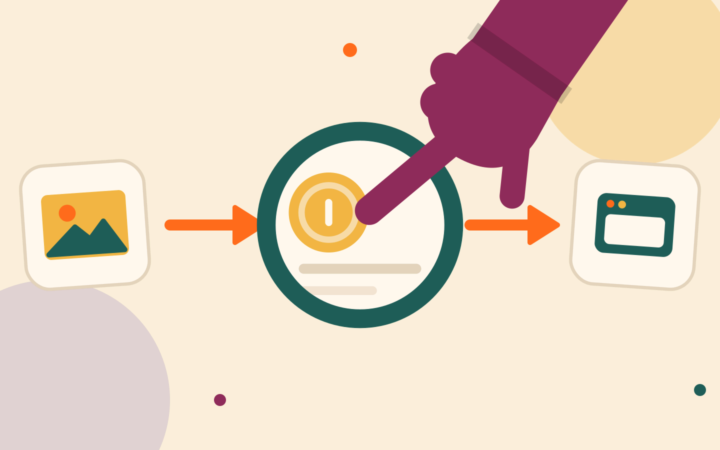
Ad refresh refers to the process of automatically updating or replacing an ad that appears on a website after a certain period of time or after a specific event. In simpler terms, it’s the practice of swapping out an ad with a new one without requiring the user to reload the page. This allows websites to show multiple ads to a single user within a short timeframe, thereby increasing ad views and potential revenue.
How Does Ad Refresh Work?
Ad refresh typically works by using JavaScript or other web technologies that allow ads to reload dynamically on a page. The frequency of the refresh depends on the publisher’s settings and can range from a few seconds to a few minutes. For example, an ad may be set to refresh every 30 seconds or after a user scrolls down the page.
When the ad refreshes, a new ad is fetched from the ad server, which could be a different advertiser or a new version of the same ad. This process helps advertisers reach the same user multiple times, while publishers benefit from more ad impressions without the need for the user to interact with the page.
Benefits of Ad Refresh
Ad refresh offers several advantages for both publishers and advertisers:
1. Increased Revenue for Publishers
The most immediate benefit of ad refresh is the potential for increased revenue. Every time an ad is refreshed, it counts as a new impression. Since advertisers typically pay per impression or view (known as CPM, or cost per thousand impressions), more impressions lead to more revenue for the website owner or publisher.
2. Better User Experience with Relevant Ads
For advertisers, advertisement refresh can help ensure that users see more relevant ads over time. If a user has been on a site for a while, refreshing the ad can provide them with fresh and potentially more interesting content, rather than showing the same ad repeatedly. This can increase engagement with the ads, making them more likely to click.
3. Enhanced Ad Inventory for Advertisers
Ad refresh also provides advertisers with more opportunities to display their ads. Instead of showing one ad during a user’s entire visit, multiple ads can be shown, increasing the chances of an ad being seen and interacted with.
4. Optimized Ad Performance
With the ability to refresh ads, publishers can test different ads, formats, and creatives. This helps optimize ad performance by allowing the site to automatically switch to higher-performing ads or adjust based on user behavior.
Potential Drawbacks of Ad Refresh
While advertisement refresh has clear benefits, it also comes with certain challenges and drawbacks that need to be considered.
1. Ad Fatigue for Users
One of the potential downsides of ad refresh is that it can contribute to ad fatigue. If the same ads are refreshed too frequently or in an overly aggressive manner, users may become annoyed or frustrated. In some cases, excessive ad refresh can lead to a negative user experience, causing visitors to abandon the site or use ad-blocking tools.
2. Page Load Times and Performance Issues
Frequently refreshing ads can impact a website’s performance. Each time an ad is refreshed, it requires a new request to the ad server, which can slow down the page load times. Slow pages can lead to higher bounce rates, which in turn can affect SEO rankings and overall user experience.
3. Ad Blocking and Ethical Concerns
Some users may use ad blockers to prevent seeing ads altogether, and ad refresh can make this issue more pronounced. When ads constantly refresh, ad blockers may struggle to block them efficiently, frustrating users who feel overwhelmed by the ads. Additionally, there may be ethical concerns about how aggressive ad refreshing could impact user experience.
4. Overuse Leading to Diminished Returns
There is also the possibility that excessive ad refresh could lead to diminishing returns. If an ad is refreshed too often, it might not have the desired impact on users. In some cases, ads may become less relevant or engaging, and users may ignore them entirely.
Best Practices for Ad Refresh
To make the most of ad refresh while minimizing its drawbacks, publishers and advertisers should follow some best practices.
1. Set Reasonable Refresh Intervals
When implementing ad refresh, you should consider how frequently to refresh the ads. It’s essential to strike a balance between showing enough ads to maximize revenue and not overloading users. A good rule of thumb is to refresh ads at intervals that provide value without being intrusive. Many websites refresh ads every 60-90 seconds, but this can vary depending on the type of content.
2. Monitor User Engagement
Publishers should keep an eye on how users are interacting with refreshed ads. If ad refresh negatively impacts engagement or causes users to leave the site, you may need to make adjustments. It’s important to monitor key metrics such as bounce rates, page load times, and user behavior to ensure that the ad refresh strategy is working.
3. Test and Optimize Ad Creatives
For maximum effectiveness, there should be regular testing of ad creatives. This includes experimenting with different types of ads (e.g., display, video, native) and ad formats to see what resonates best with users. Publishers can refresh ads more effectively if the content itself is engaging and relevant to the audience.
4. Ensure Fast Page Load Times
To avoid slowing down the website, publishers should optimize their sites for speed, even when using ad refresh. This includes compressing images, using caching techniques, and ensuring that the ad code is lightweight.
Conclusion

Ad refresh is a powerful tool that can increase ad revenue and improve the user experience, but you must use it thoughtfully. By balancing the frequency of ad refreshes with user experience considerations, and by testing different strategies, publishers and advertisers can harness the full potential of this technique. When done correctly, ads refresh can be a win-win for both website owners and advertisers, driving better engagement and higher returns.
Frequently Asked Questions (FAQs)
1. What is ad refresh in digital advertising?
Ad refresh is the process of automatically updating or replacing an advertisement on a webpage after a set period or event, allowing advertisers to show multiple ads to a single user without reloading the page.
2. How does it increase revenue for publishers?
Advertisement refresh increases revenue by generating more ads impressions. Every time an ad refreshes, it counts as a new impression, which can lead to higher earnings for the website owner or publisher.
3. Does it affect user experience?
Yes, it can impact user experience. If ads refresh too frequently or are too intrusive, it can lead to fatigue or slower page load times, potentially frustrating users.
4. How often should ads be refreshed for optimal performance?
The ideal refresh interval varies depending on the website and audience. Generally, refreshing ads every 60-90 seconds strikes a good balance between maximizing impressions and maintaining a positive user experience.
Learn in 60s
Short vertical lessons from our team. Tap to watch, swipe for the next.
 1:12Ep 10: ATT, IDFA and SKAdNetwork
Ep 10: ATT, IDFA and SKAdNetwork
 1:11Ep 9: Rewarded ads: the format players opt into
Ep 9: Rewarded ads: the format players opt into
 1:09Ep 8: AdMob, MAX, LevelPlay
Ep 8: AdMob, MAX, LevelPlay
 1:03Ep 7: Mediation waterfall vs in-app bidding
Ep 7: Mediation waterfall vs in-app bidding
 1:08Ep 6: app-ads.txt for apps and CTV
Ep 6: app-ads.txt for apps and CTV
 1:05Ep 5: One CTV app, many supply paths
Ep 5: One CTV app, many supply paths
 1:16Ep 4: SSAI vs CSAI
Ep 4: SSAI vs CSAI
 1:09Ep 3: Ad pods: why CTV can’t auction one slot at a time
Ep 3: Ad pods: why CTV can’t auction one slot at a time
 1:04Ep 2: VAST: what a video ad tag actually is
Ep 2: VAST: what a video ad tag actually is
 1:10Ep 1: Instream vs outstream video
Ep 1: Instream vs outstream video